Windows
For Windows users, get started by verifying your camera and audio as follows:
Setting
- For Windows, click the Windows icon, Settings, and enter camera in the search window.
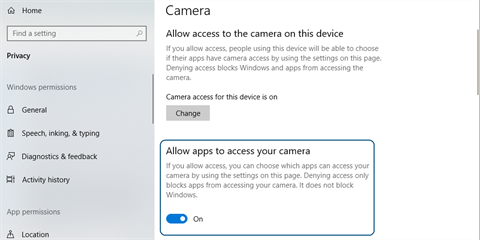
- Click Camera privacy settings.
- Slide the Allow apps to access your camera toggle to On.
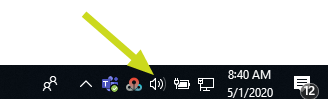
- Click the speaker icon in the Task Bar.
- Adjust the slider so that the volume is loud enough for you to hear.
- Click the Windows icon and select Settings.
- Enter recording in the search window.
- Select Find and fix audio recording problems.
- Click Next when done.
- Make sure the correct microphone is selected and then click on the Next button.